Schedule of values
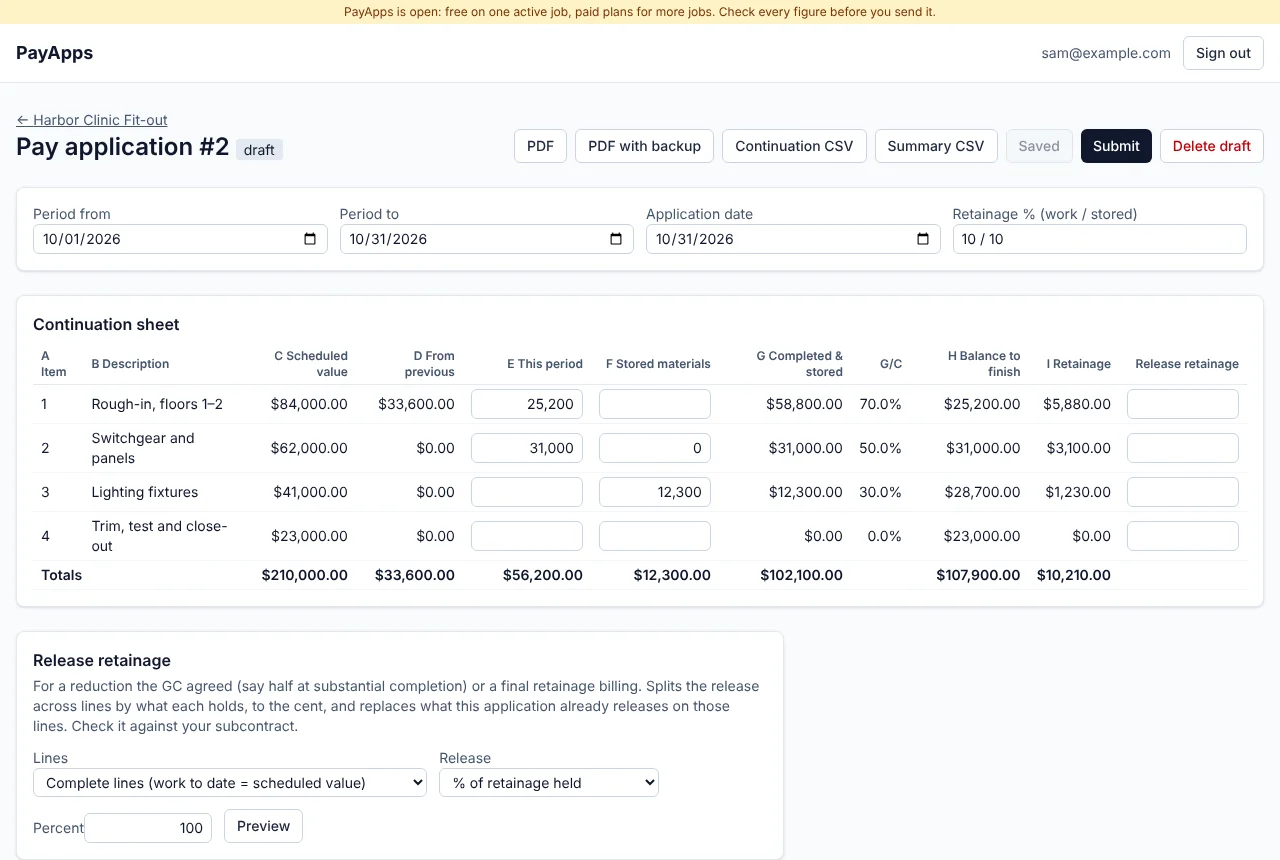
Percent complete on every line, work completed this period, materials stored, and totals that must match the GC's copy of your SOV to the cent.
Open now · free on one job
PayApps is a hosted pay-application tool for subcontractors: your schedule of values, retainage, change orders and lien waivers in one place, so each month's pay app is a review instead of a rebuild.
| Line | Scheduled | Complete |
|---|---|---|
| 1 Rough-in, floors 1–2 | $84,000.00 | 70% |
| 2 Switchgear and panels | $62,000.00 | 50% |
| 3 Lighting fixtures | $41,000.00 | 30% |
| 4 Trim, test and close-out | $23,000.00 | 0% |
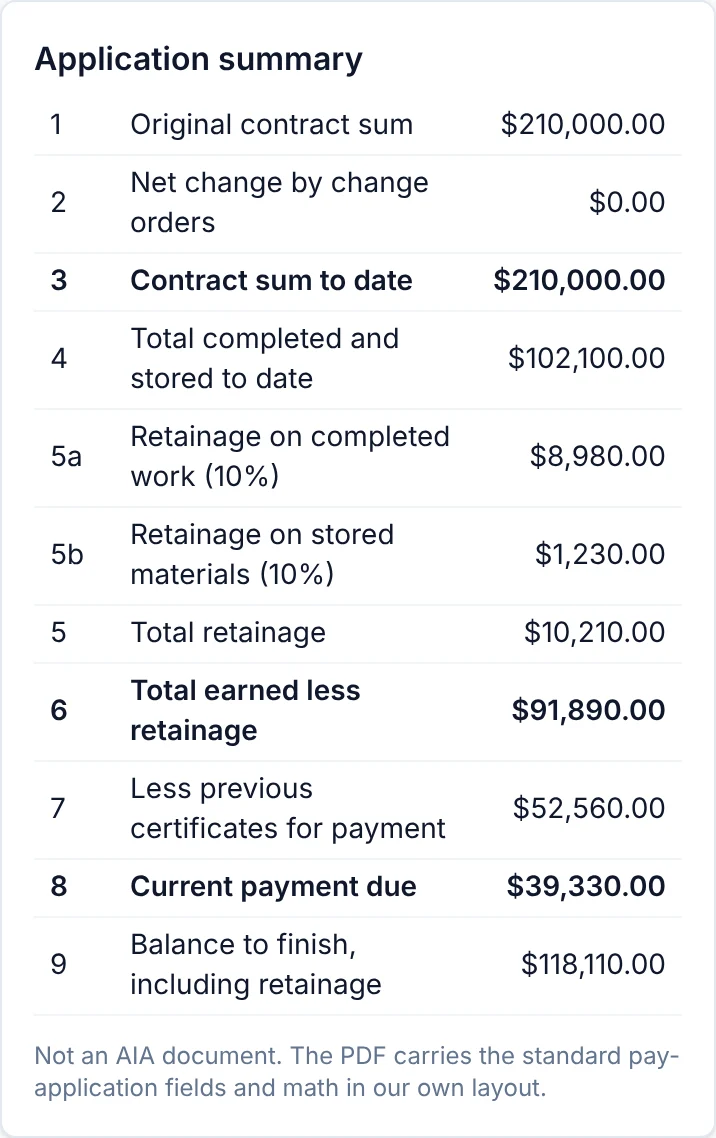
Figures computed by the same pay-app math the app runs. Line 3's fixtures are stored on site, not yet installed: they count toward the total and carry retainage.
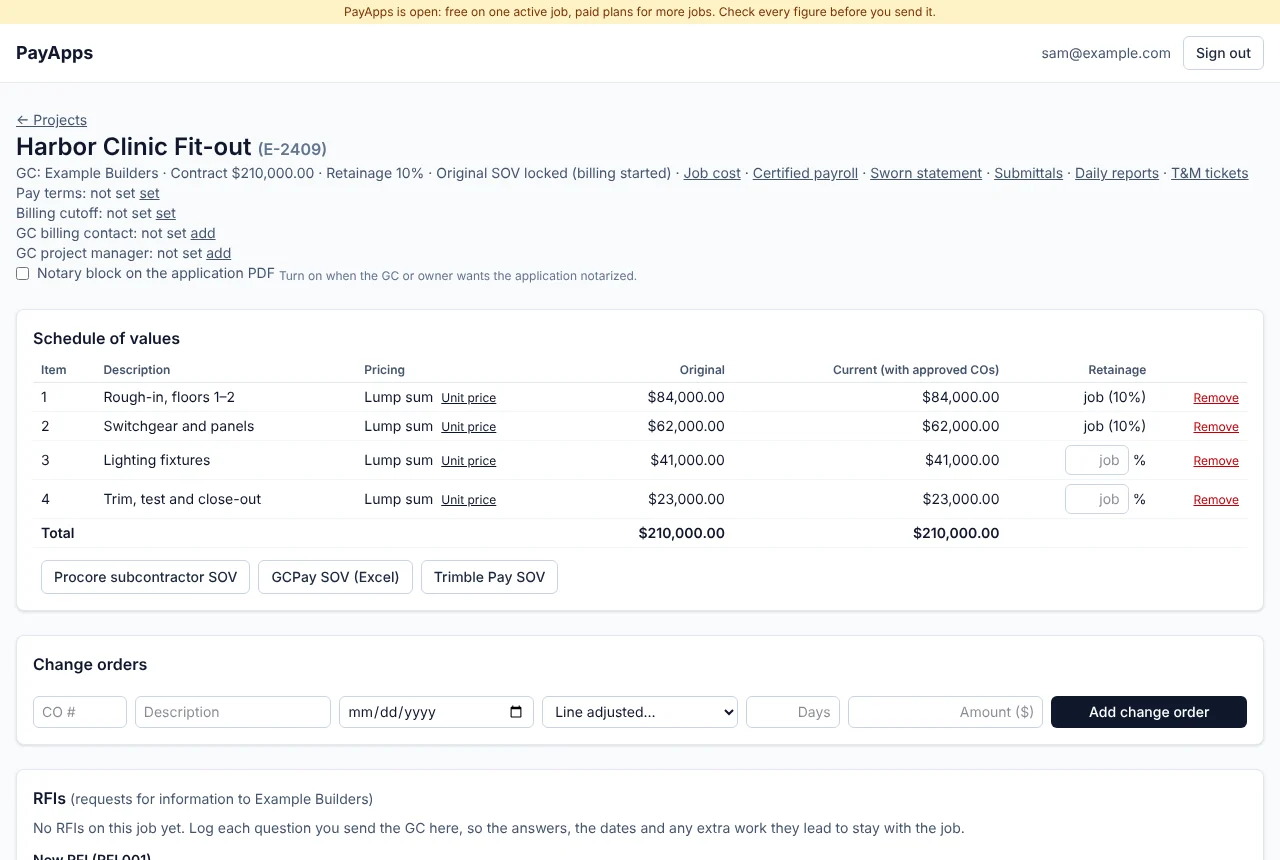
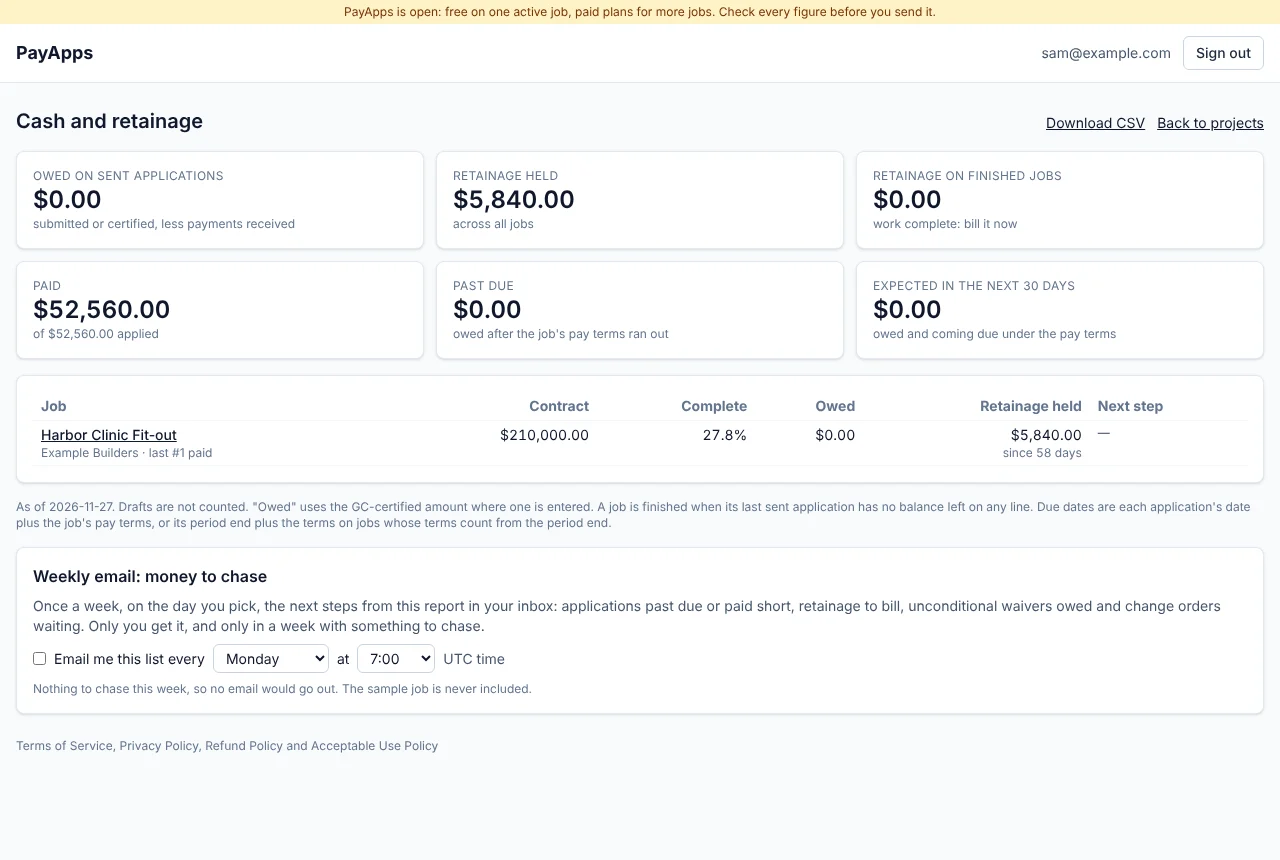
Screenshots of PayApps itself, with the same made-up electrical job as the worked example, so the figures match. Nothing here is a customer's job.
If you bill general contractors on a schedule of values, this list will be familiar. Every item is a place for a number to go wrong, and a wrong number can mean the pay app comes back and payment slips to the next cycle.
Percent complete on every line, work completed this period, materials stored, and totals that must match the GC's copy of your SOV to the cent.
Withheld on every line, sometimes at a different rate on stored materials or after a project milestone, depending on the contract. Tracking what is owed back across jobs is its own spreadsheet.
Approved changes become new SOV lines; pending ones usually can't be billed yet. Keeping both lists straight with the GC is a monthly back-and-forth.
A conditional waiver for this payment, an unconditional one for the last, sometimes on a form your state prescribes, sometimes notarized, and the same again from your suppliers.
Every general contractor has its own portal, cut-off date, required attachments and format. The numbers get typed in again, once per GC.
Then the same amounts go into your accounting system as invoices, with retainage receivable tracked separately, so the books match what you billed.
All four steps work in the app today. The features page marks what is built and what comes next.
Yes. PayApps is open: sign up with your email and set up your first job. Free on one job with no card. Paid plans for more jobs are not on sale yet. It is new, so there are no customer reviews yet; tell us what gets in your way.
Subcontractors and specialty trades who bill general contractors every month with a schedule of values, retainage and lien waivers: electrical, mechanical, plumbing, framing, drywall, concrete, roofing and similar trades.
No. Your GC decides how pay apps are submitted. It keeps your numbers and backup in one place and gives you the PDF and CSV, so the portal step is copying finished figures, not redoing them. For Procore, Oracle Textura, GCPay and Trimble Pay it also fills the SOV and billing files those portals take; you still submit them in the portal yourself.
PayApps is not affiliated with the American Institute of Architects (AIA) and does not produce AIA Contract Documents. Nothing on this site is legal advice.
PayApps is not affiliated with the American Institute of Architects (AIA) and does not produce AIA Contract Documents. Nothing on this site is legal advice.