For CNC and fabrication job shops · Free to start
Work through the RFQ backlog without hiring another estimator.
Set your machine rates, setup charges, material prices and markups once. Add an RFQ's parts, attach its STEP or DXF files, and Job Shop Quote prices every line from your rates, measures what the CAD files can tell it, and builds the quote PDF for your estimator to check and send. Nothing goes to a customer until you send it.
- Prices come from your rate table, never from a guess
- Every line shows which of your rates it used
- Quantity breaks, minimums and markups applied the same way every time
Free Early access plan: up to 40 RFQs a month, no card. Paid plans from $199 a month, not on sale yet.
-
Mounting bracket6061-T6 aluminum · qty 50
-
Side panel14 ga CRS · qty 120
-
Setup on the 5-axisNo setup time on your rate card
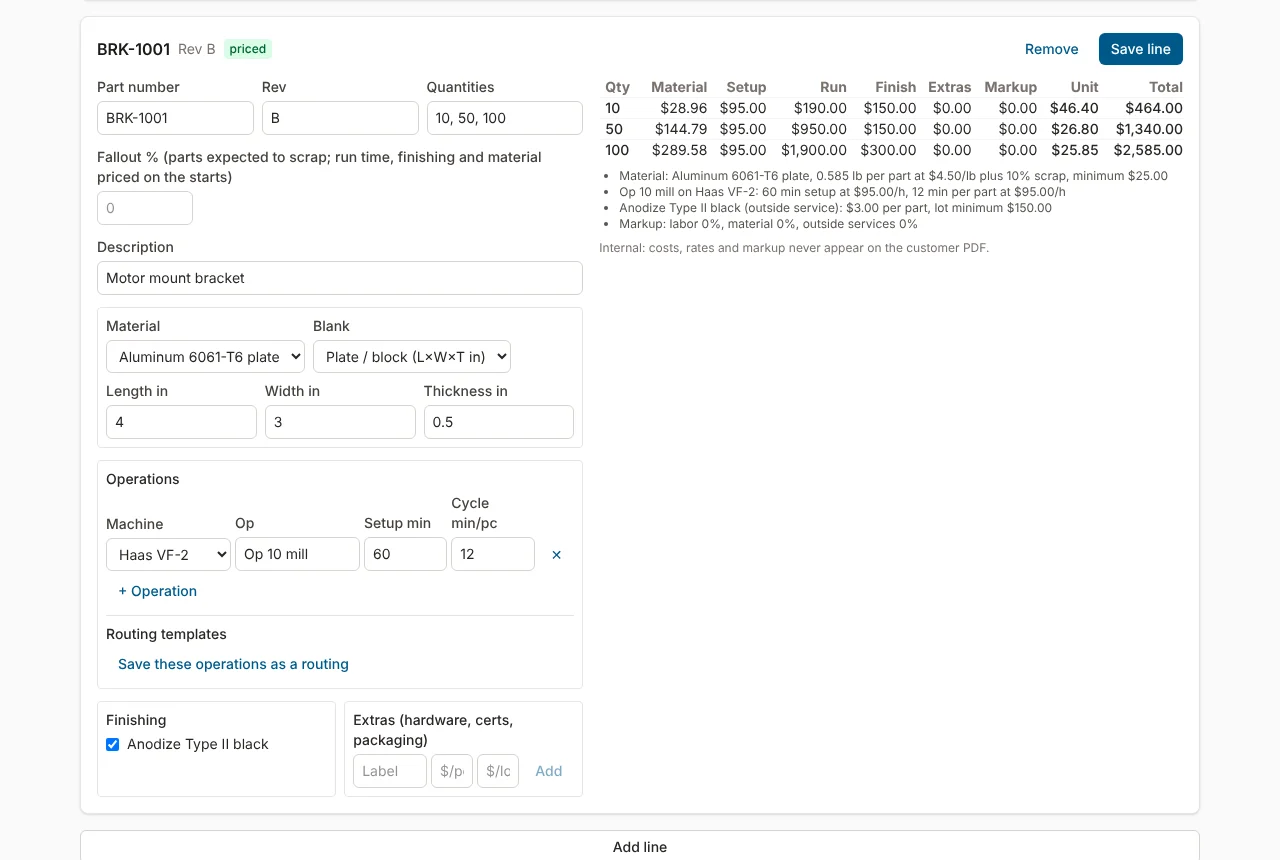
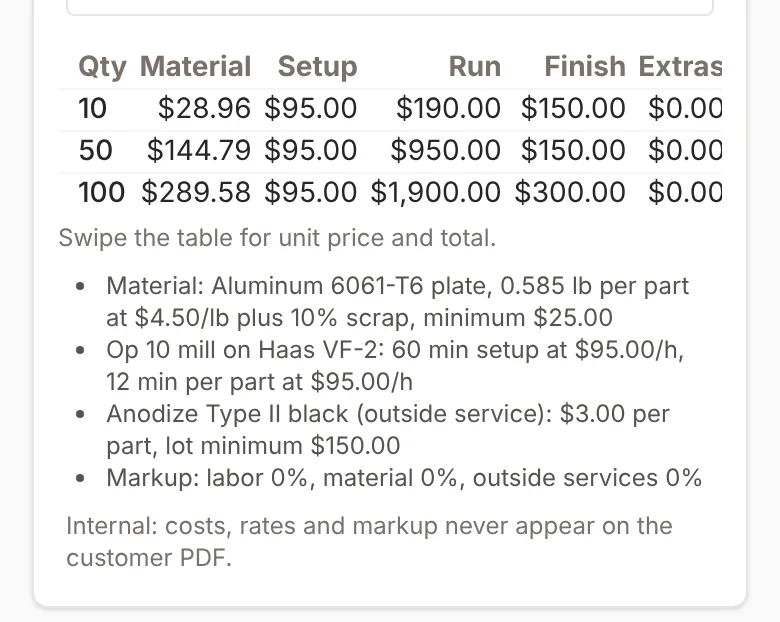
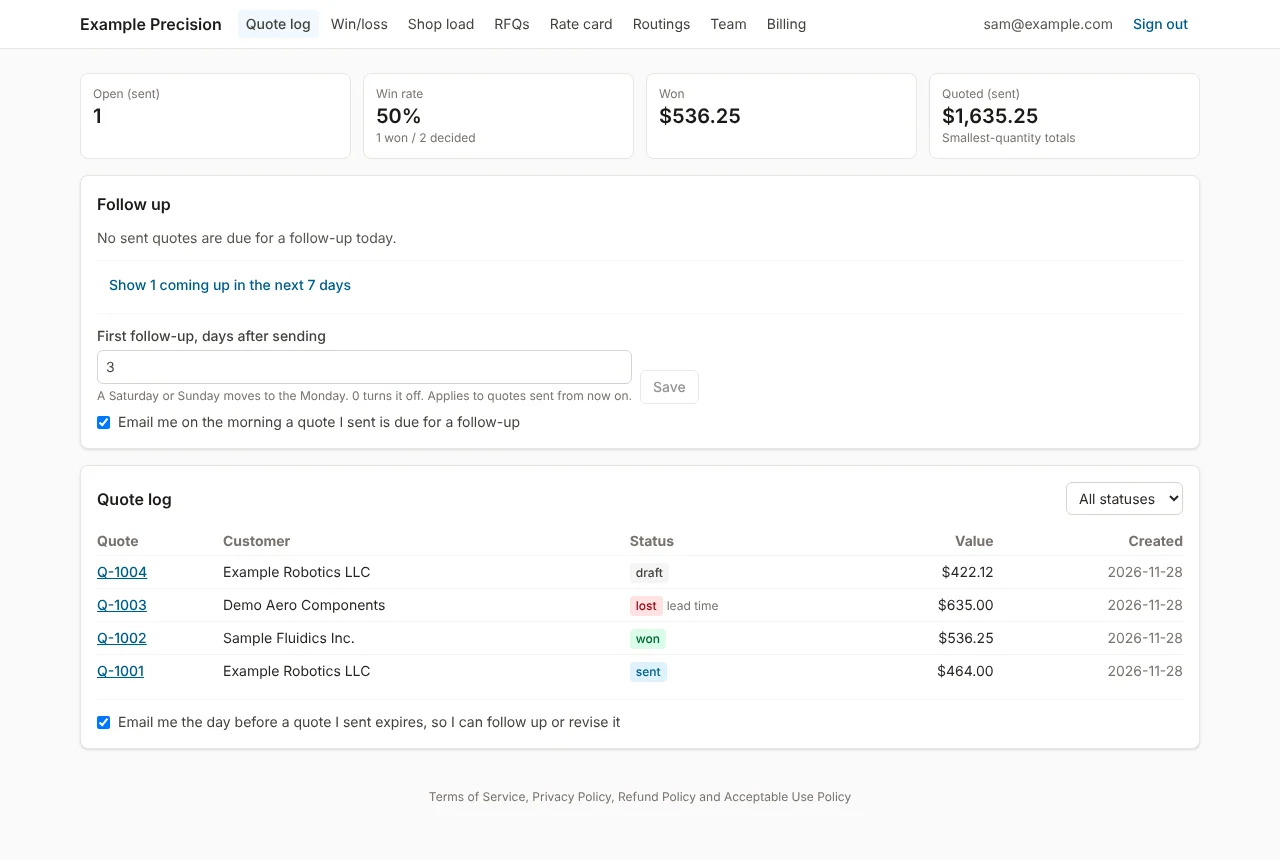
What a quote looks like in the app
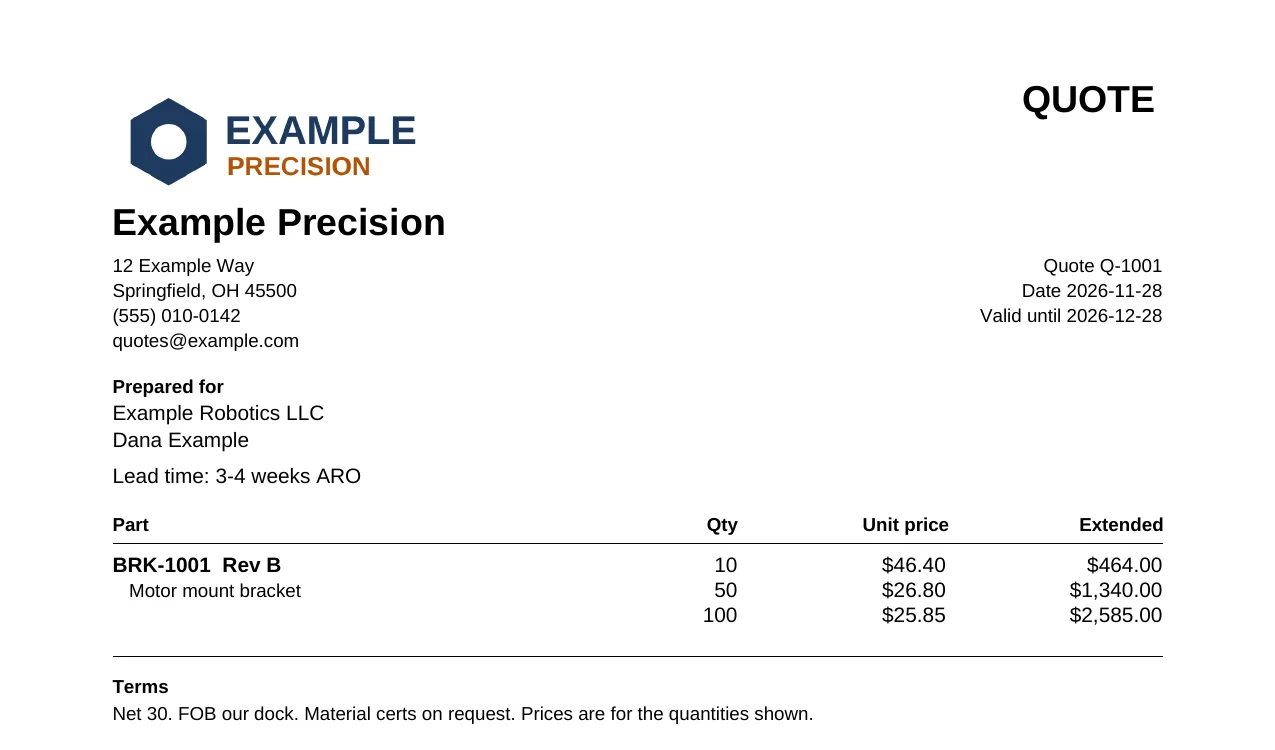
Screenshots of Job Shop Quote itself. The shop, customer and part are made up; the prices are what the app worked out from the rate card typed in for them.
What your customer gets
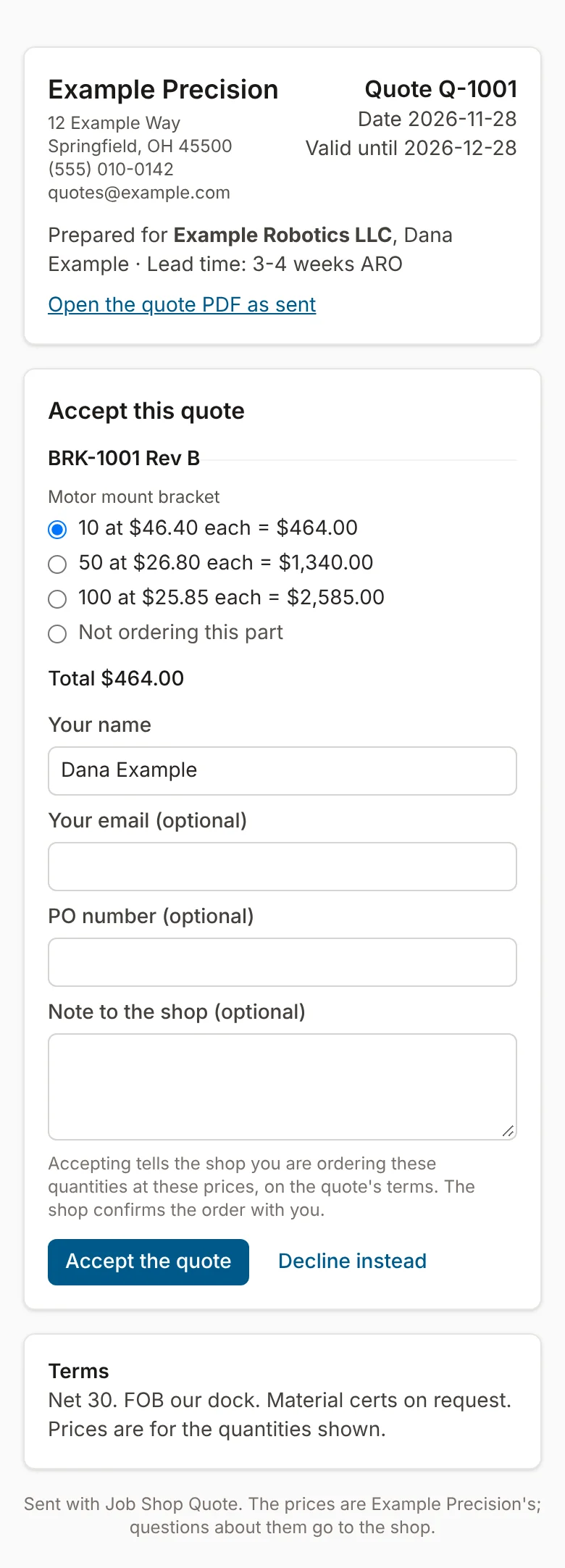
After it's sent
The quoting pile is the bottleneck nobody hired for
In a job shop, quoting usually lands on the owner or one estimator. Every RFQ means opening the email, reading each drawing, working out stock, setups and cycle times, looking up material and outside processing, and applying your rates. That work happens between running the floor and answering the phone, and while RFQs wait, the customers who sent them wait too.
Job Shop Quote does the arithmetic and the paperwork, so your estimator's time goes on the judgment calls: the tricky features, the quantity breaks, and whether you want the job.
What it does, and what stays yours
Job Shop Quote does the legwork
- Reads RFQ emails and PDF drawings: parts, quantities, material, finish, tolerances and notes (AI reading: not switched on yet)
- Checks what it read a second time against the drawing and flags anything it can't confirm (AI reading: not switched on yet)
- Measures STEP, IGES, STL and DXF files: blank size, holes, cut length, pierces and bends, for roughing, drilling, cutting and bending times you can correct
- Applies your rates, minimums and markups with plain arithmetic: same inputs, same price
- Lists the sent quotes due for a follow-up each morning and keeps a log of every call, so no quote goes quiet
- Dates every material price, warns when one is past your limit, and lists the open quotes priced before your supplier's price moved
- Puts your won jobs on your machines by due date, shows which ones run past their date, and gives each new quote a lead time from your real backlog
- Imports your supplier's price sheet showing each price change and the open quotes it touches before you save, and keeps the supplier and date in each price's history
Your shop keeps control
- Your rate table sets every price; corrections your estimator makes become shop rules
- Your estimator reviews every line and decides what gets quoted
- Quotes are never sent automatically
- Your drawings and rates are never used to train AI models
From RFQ to quote
Set your rates once
Machines and hourly rates, setup charges, material, outside processing, minimums.
Add the RFQ
Enter the parts and quantities; attach the drawings and any STEP or DXF files.
Priced by your rules
Setups, cycle times you can correct, material and outside processing, all from your rates.
Review and send
Your estimator fixes what needs fixing and sends the quote themselves.
Where it stands
Job Shop Quote is open: any shop can sign up and use it on the free Early access plan. It is new. There are no customers yet and no results to quote, so you won't find testimonials or time-saved figures here. The first shops on it tell us where it gets things wrong, and that decides what gets built next.
Working today: the rate card (imported from your spreadsheet or entered by hand), parts and routings, STEP and DXF measurements, quantity breaks, quote PDFs and quote email, customer links to accept or decline, follow-up and expiry reminders, job travelers, and the won/lost log.
Not switched on yet: reading RFQ emails and drawings with AI, RFQs forwarded by email, the paid plans, the QuickBooks Online connection. Each is built; the hosted app turns it on when it is ready to run safely.
Shops that handle defense work: read what early access means for CUI and export-controlled drawings first.
Try it on your own RFQs
Sign up and set up your rate card. The Early access plan is free, up to 40 RFQs a month, no card.